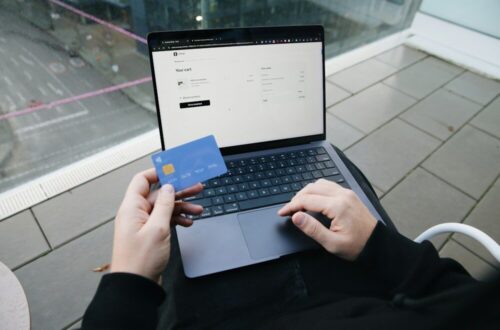
Passwords ask us to do the same hard thing again and again. We must make them long, keep them unique, and spot fake sign-in pages. Passkeys remove much of that work.
In 2026, passkeys are no longer a small test. Major services use them, and billions are active. Yet many people still worry about one simple thing: what happens when a phone is lost? A good setup answers that question before trouble starts.
What Passkeys Means
A passkey is a sign-in key stored on a trusted device or in a secure password manager. The site keeps a public part. Your device keeps the private part. When you sign in, the two parts prove that you are you. Your face, finger, or device PIN unlocks the passkey. The private key is not typed into the site, so a fake login page cannot steal it in the same way it steals a password.
In other words, the trend is useful only when it fits a real need. The name may be new, but the choice still comes down to value, risk, cost, and the way it affects daily life.
Why Passkeys Is Trending Now
Several changes are arriving at the same time. That is why this topic is moving from a small group into wider use.
Use has reached a large scale
FIDO Alliance research in 2026 says passkey awareness and use have grown fast across many nations. More sites now offer a passkey at sign-up or in account settings.
Phishing keeps getting better
Fake sites and urgent messages can look very real. A passkey is tied to the true site, which blocks a common path used in password theft.
Phones and password tools now sync keys
A passkey can move with your secure account to a new device. This makes daily use easier, but it also makes account recovery plans vital.
Work accounts are joining in
More firms are testing passkeys for staff. That means many people will soon use them at home and at work, with different rules for each.
The Real Benefits
The best reason to follow a trend is not that many people are talking about it. It is that the idea solves a clear problem for you. These are the gains that matter most.
Strong phishing defense
A passkey will not work on a look-alike domain. That protects you even when a fake page has the right logo and wording.
No password reuse
Each site gets a different cryptographic key. You do not have to invent or remember a new secret phrase for every account.
Fast sign-in
Face, finger, or device PIN checks are often quicker than typing a password and a one-time code.
Less value in stolen server data
The site stores a public key, not the private key that signs you in. A data leak does not reveal a reusable password.
The Limits and Risks
Every useful tool has a weak side. We make a better choice when we see that side before money, data, health, or time is at risk.
Weak recovery setup
A passkey can be safe and still be hard to recover if all trusted devices are lost. Recovery codes and backup devices matter.
Shared device confusion
A family tablet or shared computer may offer the wrong person’s passkey. Clear user profiles reduce this risk.
Cloud account takeover
Synced passkeys depend in part on the security of the Apple, Google, Microsoft, or password-manager account that holds them.
Mixed site support
Some sites still require a password as a backup. That old password remains a weak door unless it is unique and well protected.
How to Start With Passkeys
You do not need to change everything at once. Use a small first step, keep control of the important choices, and review what happens.
1. Secure your main device account
Use a strong unique password, account alerts, and the best second factor offered for the account that will sync your passkeys.
2. Add a second trusted device
A spare phone, tablet, computer, or hardware security key can help when the main device is lost or broken.
3. Save recovery codes
Store codes offline in a safe place. Do not keep the only copy on the phone that may be lost.
4. Start with a low-risk account
Set up a passkey on a shopping, media, or community account first. Learn the flow before changing your main email or bank login.
5. Name passkeys clearly
When a site allows names, use labels such as personal phone, work laptop, or security key. This makes cleanup easier later.
6. Test another-device sign-in
Try signing in from a second device while you still have full access. A recovery plan that has not been tested is only a hope.
7. Remove old devices
Check account security pages after a phone sale, repair, loss, or job change. Revoke passkeys tied to devices you no longer control.
A Simple Seven-Day Test
A short test is long enough to learn and short enough to stop. Use the first week to build a baseline rather than chase a perfect result.
- Day 1: Write the one result you want from passkeys. Keep it to one sentence.
- Day 2: Review the main risks and remove the one that could cause the most harm.
- Day 3: Take the smallest practical step from the guide. Do not add extra tools yet.
- Day 4: Note what felt easy, what felt unclear, and what took more time than expected.
- Day 5: Check one source, setting, rule, or cost that the first test brought to light.
- Day 6: Repeat the useful part once. Change only one detail so you can see the effect.
- Day 7: Decide whether to keep, adjust, pause, or stop. Write the reason so the choice stays clear.
A Practical 30-Day Plan
A week can show whether passkeys fits your life. A month can show whether the result lasts. Keep the plan light enough to repeat. The goal is not to turn a new idea into a second job.
Week 1: Learn the baseline
Notice how things work before you make a large change. Save key costs, times, scores, settings, or problems in one short note. This gives you a fair point of comparison. It also keeps a strong first impression from becoming the only evidence.
Week 2: Use the smallest useful version
Choose one tool, habit, route, payment, setting, or work method. Keep the rest of your routine steady. A small test is easier to understand and easier to stop. It can also show that you do not need the costly or complex version of the trend.
Week 3: Check the weak side
Look for the tradeoff that did not appear on day one. It may be time, privacy, fatigue, fees, access, or stress. Ask another person to review the plan when the choice affects a family, client, team, or shared budget. A second view can catch a risk that feels normal to you.
Week 4: Keep only what earns a place
Compare the result with the baseline. Keep the part that made life safer, easier, calmer, or more useful. Remove steps that added work without a clear gain. Set one date to review it again. This turns passkeys from a trend into a choice you can manage.
How to Measure Whether It Is Working
Do not use attention, novelty, or social praise as the main score. Pick two or three signs that match the reason you started.
- Time: Did the change save time after setup and checking were included?
- Cost: Did the full cost stay inside the limit you set?
- Quality: Is the result more accurate, useful, restful, safe, or easy to repeat?
- Stress: Did the plan lower worry, or did it create a new thing to track?
- Control: Can you pause, cancel, change, or recover without a large loss?
A good result does not need to improve every measure. It should improve the one that matters most without causing a larger problem somewhere else. When the tradeoff is unclear, keep the test small and gather more real experience before you commit.
What to Check Before You Commit
Use this quick list before a purchase, sign-up, booking, or large life change.
- Do you have at least two ways to reach the account?
- Are recovery codes stored away from your phone?
- Is the sync account protected by strong security and alerts?
- Can you view and revoke passkeys in account settings?
- Does a password backup still exist, and is it unique?
Common Mistakes to Avoid
- Turning off every backup path before testing recovery.
- Assuming a screen lock alone protects a weak cloud account.
- Creating passkeys on a public or borrowed device.
- Forgetting to remove a passkey after selling a device.
- Leaving an old reused password active as the backup login.
Most mistakes come from speed. A trend feels urgent because we see it often. Yet a short pause is usually enough to check the full cost, the source, the setting, or the safer path.
Frequently Asked Questions About Passkeys
Can a passkey be copied like a password?
The private key is designed to stay in secure device storage or a protected sync system. It is not typed or sent to the site.
What if I lose my phone?
Use another synced device, a security key, recovery codes, or the site’s recovery flow. Set up more than one path now.
Does Face ID become my password?
No. Your face or finger unlocks the passkey on your device. The biometric template is not sent to the website.
Should I keep my password manager?
Yes. Many password managers now store passkeys, and you may still need passwords for sites that lack support.
Are passkeys safe on a shared computer?
Use your own user profile or sign in with a nearby personal device. Do not save a personal passkey in a shared profile.
Build the Exit Before You Lock the Door
Passkeys can make sign-in both safer and easier. The smart move is to pair them with a calm recovery plan. Secure the sync account. Add a second device. Save codes offline. Then test the path. Once that is done, you can leave many password worries behind without creating a new kind of worry.